

GhostPrompter is the only teleprompter app for Windows and macOS with click-through mode, voice-activated scrolling, and invisible screen recording. Here’s everything it can do.
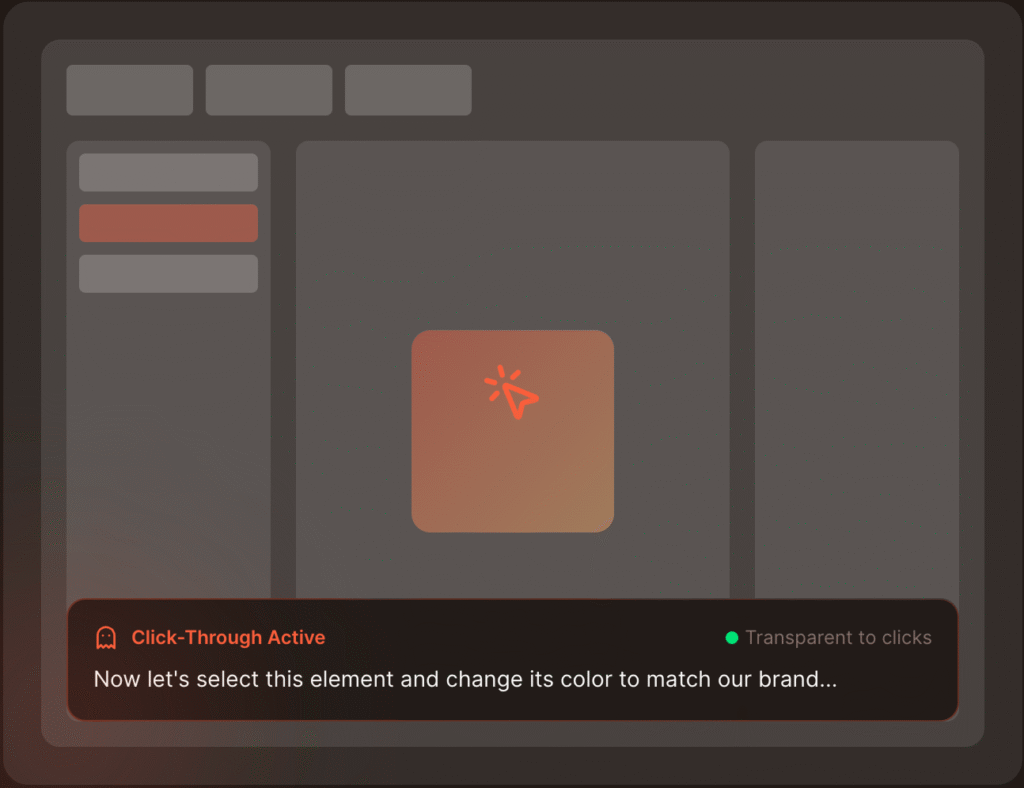
Most teleprompters make you choose: read or interact. GhostPrompter lets you do both — it is the only teleprompter app for Windows and Mac that lets you do both. It’s a seamless teleprompter for presentations that allows you to read while clicking and typing.
Voice-activated scrolling adapts in real time with no manual fiddling. This makes it the perfect teleprompter for Zoom and webinars where your speaking pace varies naturally.
Your audience never sees the teleprompter. Only you do. As a native teleprompter app for Windows, it is the ideal teleprompter for YouTube videos because it stays hidden from OBS, Loom, and Zoom.

Looking for reliable teleprompter software for Windows? GhostPrompter is a native teleprompter app windows users love for its lightweight performance. Whether you’re on a Surface laptop or a high-end desktop, it handles your scripts without lagging your recording software.
GhostPrompter is the best teleprompter app for Mac users who want to have professional features. This native teleprompter for Mac is perfectly integrated with macOS and supports Retina displays and multi-monitor setups, providing a seamless recording experience.
Everything you need to know before you start recording with confidence
Yes. As a native teleprompter app for Windows and macOS, GhostPrompter works with all screen recording and video conferencing tools including OBS, Loom, Zoom, Teams, Google Meet, ScreenFlow, Camtasia, QuickTime, StreamYard, and any other software.The script overlay is invisible to screen capture, so it won't appear in your recordings or screen shares.
No. GhostPrompter works on single or multiple monitors. The script overlay floats on your main screen and you can position it anywhere — typically near your webcam for natural eye contact.
If you do have multiple monitors, you can put the script on a secondary display
Mac: macOS 10.14 (Mojave) or later
Windows: Windows 10 or later
GhostPrompter is lightweight and runs smoothly alongside resource-heavy apps like OBS, Premiere Pro, and Final Cut
The app listens to your microphone and advances the script based on your speaking pace. It speeds up when you speak faster, slows down when you pause, and stops when you stop talking.
You can switch to manual scroll mode anytime using keyboard shortcuts or mouse controls.
Yes. GhostPrompter runs entirely on your device. No internet connection required. Your scripts are stored locally and never sent to the cloud.
No. GhostPrompter is optimized to use minimal CPU and RAM. It won't affect recording performance or quality, even when running alongside heavy applications like OBS or video editing software.
Yes. You can copy and paste scripts from any source — Google Docs, Word, notes apps, outlines, etc. Just paste directly into the built-in script editor.
Both. GhostPrompter works for:
The click-through overlay lets you interact with slides, software, or chat while reading your script in real time.
The standard license works on up to 3 devices (Mac or Windows) for a single user. For team or bulk licensing, contact us at [support@ghost-prompter.com].
No more pauses.
No more broken demos.
No more “were they reading?”
Just clean, confident recordings —
done in one take
