



If you have ever recorded a video and forgotten your lines halfway through, looked away from the camera to read notes, or spent hours doing retakes, you are not alone.
Most creators struggle with speaking naturally while remembering everything they want to say. That is exactly why teleprompters exist. But what is a teleprompter exactly, and how can it change your workflow?
Once associated mainly with TV news anchors and politicians, teleprompters are now used by YouTubers, online educators, founders, podcasters, streamers, and content creators of every size.
Today, even a solo creator with a smartphone can use a teleprompter setup to produce smoother, more confident videos with better eye contact and fewer mistakes.
In this guide, you will learn:
- What a teleprompter is
- How teleprompters work
- Why creators use them
- Different types of teleprompters
- How to use one naturally
- Common beginner mistakes
- Whether you actually need one
Let’s start with the basics.
What Is a Teleprompter?
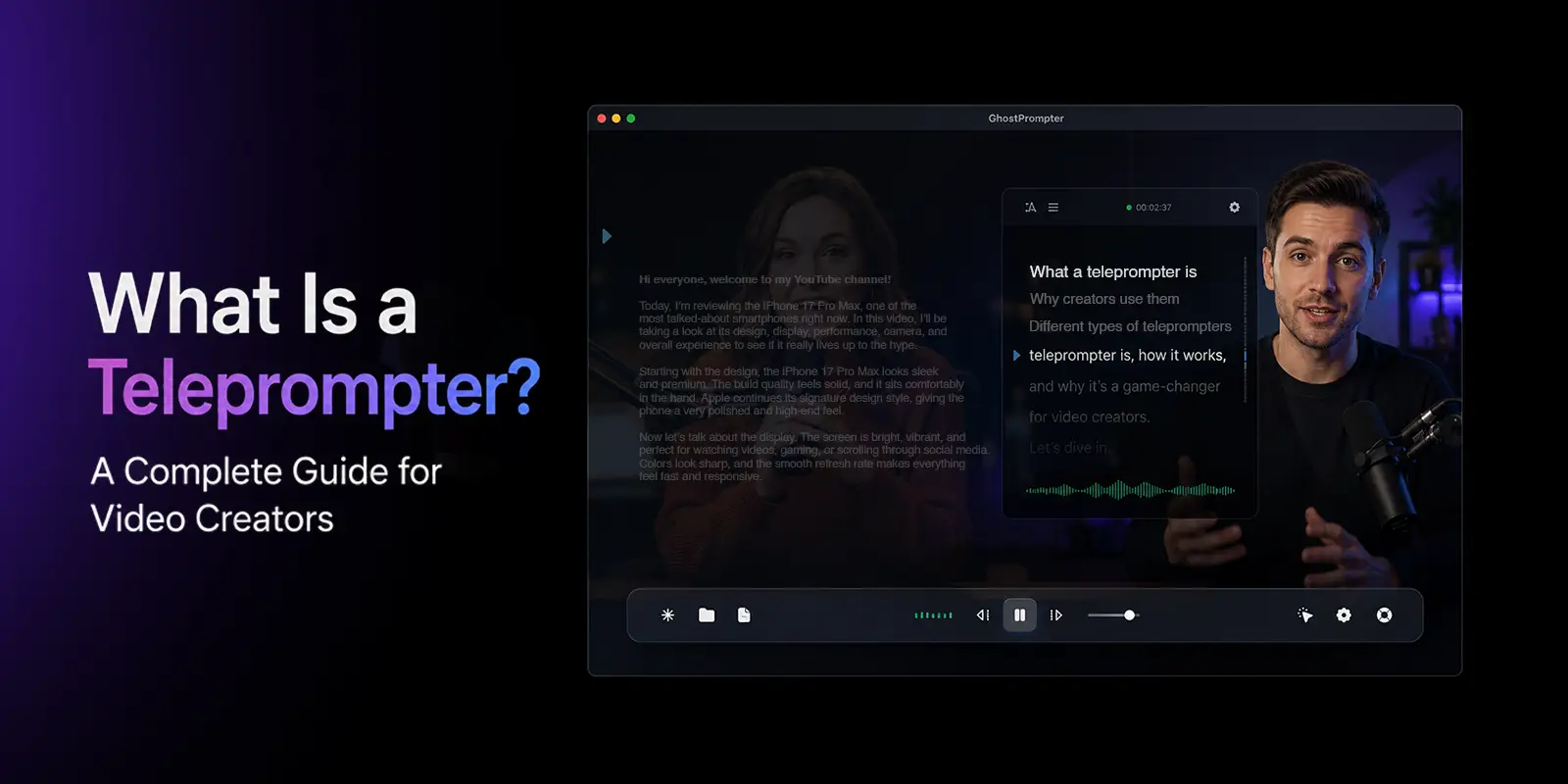
A teleprompter is a device or software system that displays scrolling text in front of a camera lens so a presenter can read a script while maintaining direct eye contact with viewers.
Instead of looking down at notes or memorizing every line, creators can read the script naturally while appearing to speak directly to the audience.
This is what makes teleprompters so powerful for video content.
The viewer feels like the speaker is confidently talking to them, even though the presenter is following a prepared script.
Teleprompters are commonly used for:
- YouTube videos
- Online courses
- Webinars
- Podcast intros
- Product demos
- Livestreams
- Corporate videos
- Sales videos
- Educational content
- News broadcasts
Modern teleprompters can range from professional studio equipment to simple smartphone apps.
How Does a Teleprompter Work?
Most teleprompters use a special piece of reflective glass called a beam splitter.
The script is displayed on a screen below or in front of the camera. The glass reflects the text toward the presenter while remaining mostly invisible to the camera itself.
As a result:
- The presenter sees the script
- The camera records a clean image
- The audience never sees the reflected text
This creates the illusion of perfect eye contact.
The Role of Beam Splitter Glass
Beam splitter glass is the key technology behind traditional teleprompters.
It works similarly to one-way reflective glass:
- Light from the script display reflects toward the presenter
- Light passing through the glass reaches the camera lens
This allows the presenter to read text while the camera captures a natural-looking image.
Without beam splitter glass, presenters would constantly look away from the lens to read notes.
Why Eye Contact Looks Natural
When creators read notes below the camera, viewers can immediately notice eye movement.
Even small shifts in eye direction reduce connection and trust.
Teleprompters place the script directly in front of the lens, making it appear as though the presenter is speaking naturally to the audience.
That direct eye contact matters more than many creators realize.
Strong eye contact:
- Builds trust
- Improves audience retention
- Creates authority
- Makes videos feel more conversational
- Keeps viewers engaged longer
This is one reason teleprompters have become so popular among YouTubers and educators.
How Text Scrolls During Recording
Most teleprompters scroll text upward at a controlled speed.
The speed can usually be adjusted manually or controlled with:
- Bluetooth remotes
- Foot pedals
- Mobile apps
- Voice tracking software
Good teleprompter pacing is critical.
If the script scrolls too fast:
- delivery becomes robotic
- presenters rush
- breathing feels unnatural
If it scrolls too slowly:
- awkward pauses happen
- pacing feels disconnected
Experienced creators often spend time fine-tuning script speed before recording.
Why Video Creators Use Teleprompters
Many beginners assume teleprompters are only for people who cannot memorize scripts.
That is wrong.
Even highly experienced creators use teleprompters because they improve workflow efficiency and reduce cognitive load.
Instead of trying to remember every sentence, creators can focus on:
- delivery
- energy
- tone
- body language
- storytelling
That usually produces better videos.
Better Eye Contact
One of the biggest benefits is maintaining direct eye contact with the camera.
Viewers subconsciously notice when presenters constantly glance away.
Teleprompters reduce this issue dramatically.
The result:
- stronger viewer connection
- more confidence
- better perceived professionalism
Faster Recording Sessions
Without a teleprompter, creators often:
- forget lines
- restart sections
- ramble off-topic
- lose structure
This creates endless retakes.
Teleprompters help creators stay organized and focused, reducing recording time significantly.
For creators publishing content regularly, this matters a lot.
More Professional Delivery
Teleprompters help maintain consistent pacing, clear messaging, and smoother transitions. Using a teleprompter for course creators is a game-changer, as it allows educators to deliver complex lessons clearly without losing their place.
This is especially useful for:
- educational videos
- product explanations
- tutorials
- webinars
- sponsored content
Easier Content Batching
Many creators batch-record multiple videos in one session.
Doing this from memory is exhausting.
Teleprompters reduce mental fatigue and make it easier to record several videos efficiently.
That is one reason large YouTube channels often rely heavily on teleprompter workflows.
Improved Confidence on Camera
For many beginners, camera anxiety comes from forgetting what to say.
Teleprompters reduce that pressure.
Knowing the script is available allows creators to:
- relax more
- focus on performance
- speak more clearly
- feel less overwhelmed
This confidence boost alone can dramatically improve video quality.
Different Types of Teleprompters
Not all teleprompters are the same.
Different setups serve different creator needs and budgets.
Smartphone Teleprompters
Smartphone teleprompters are small, affordable, and popular among beginner creators.
These usually use:
- a phone as the script display
- a compact reflective glass system
- a smartphone or camera behind the glass
They are ideal for:
- TikTok creators
- Instagram creators
- short-form videos
- beginner YouTubers
Pros
- Affordable
- Portable
- Easy to use
- Great for beginners
Cons
- Smaller text display
- Limited script length
- Less ideal for long-form videos
Tablet Teleprompters
Tablet teleprompters use larger screens, making them better for longer scripts.
These are common among:
- YouTubers
- educators
- coaches
- webinar hosts
The larger display allows:
- bigger font sizes
- easier reading
- smoother pacing
Pros
- Easier readability
- Better for long-form content
- More professional workflow
Cons
- Larger setup
- Higher cost
- Less portable
Presidential Teleprompters
These are the transparent glass panels often seen during political speeches.
Unlike camera-mounted teleprompters, they sit beside the speaker rather than directly in front of the lens.
They are designed for:
- live speeches
- conferences
- public presentations
Most creators will never need this setup.
Software Teleprompters
Software teleprompters display scrolling text directly on:
- desktop screens
- laptops
- webcams
- browser overlays
Many creators use software teleprompters during:
- Zoom calls
- livestreams
- webinars
- virtual presentations
Some tools even place scrolling text very close to the webcam to simulate eye contact.
Pros
- No extra hardware needed
- Easy setup
- Great for remote creators
Cons
- Eye movement may still be visible
- Less natural than glass teleprompters
Professional Studio Teleprompters
These are the large systems used in:
- television studios
- professional productions
- broadcast environments
They offer:
- large displays
- professional camera integration
- advanced controls
These systems are powerful but expensive.
Most solo creators do not need them.
Teleprompter vs Memorizing Scripts
A common question among creators is:
“Should I memorize scripts instead?”
The answer depends on your workflow and content style.
Memorizing can work well for:
- short videos
- highly conversational creators
- experienced speakers
But for longer or structured content, teleprompters are often more efficient.
| Teleprompter | Memorizing |
| Faster recording | More prep time |
| Better consistency | Easier to forget lines |
| Reduced mental load | More pressure |
| Easier for long-form content | Harder for beginners |
| Better for batching | More exhausting |
Many professional creators use a hybrid approach:
- outline key ideas
- lightly script important sections
- improvise naturally around structure
How to Use a Teleprompter Naturally
One of the biggest teleprompter myths is:
“Using one makes you sound robotic.”
That only happens when creators use teleprompters poorly.
A good teleprompter user sounds conversational, relaxed, and natural.
Write Like You Speak
The biggest mistake is writing scripts like essays.
People do not speak like blog posts.
Good teleprompter scripts use:
- shorter sentences
- conversational language
- natural pauses
- contractions
- simple wording
Write for speech, not reading.
Use Short Sentences
Long sentences are difficult to deliver naturally on camera.
Shorter sentences:
- improve pacing
- reduce mistakes
- sound more human
They also make scrolling easier.
Adjust Scroll Speed Properly
Bad pacing destroys delivery quality.
Your script should scroll at the same speed you naturally speak.
Many creators test several speeds before recording.
Add Natural Pauses
Do not read continuously like a machine.
Pause intentionally.
Breathe naturally.
Emphasize important points.
This creates rhythm and authenticity.
Practice Before Recording
Even with a teleprompter, practice matters.
Reading a script cold usually sounds stiff.
Experienced creators often:
- rehearse once or twice
- mark pauses
- simplify awkward lines
- adjust pacing before filming
Common Teleprompter Mistakes Beginners Make
Most teleprompter problems come from poor usage, not the tool itself.
Reading Too Fast
Many beginners panic and rush through scripts.
This creates:
- robotic delivery
- unnatural pacing
- poor viewer retention
Slowing down usually improves performance immediately.
Using Tiny Font Sizes
Small text forces eye strain and excessive focus.
Larger fonts create smoother eye movement and more relaxed delivery.
Standing Too Close to the Camera
If your eyes move dramatically across the screen, viewers notice.
Standing farther away reduces visible eye movement.
Over-Scripting Every Word
Word-for-word scripting often sounds unnatural.
Leave room for flexibility and improvisation.
Speaking Without Emotion
Some creators focus so much on reading that they lose energy and personality.
The script should support delivery, not replace it.
Best Teleprompter Setup for Beginners
You do not need expensive studio equipment to get started.
Many creators begin with:
- a smartphone
- an affordable teleprompter rig
- a basic camera
- a simple lighting setup
Budget Setup
Ideal for beginners:
- smartphone teleprompter
- ring light
- phone camera
- teleprompter app
Great for:
- TikTok
- Instagram Reels
- YouTube Shorts
Mid-Range Creator Setup
Better for YouTube creators:
- DSLR or mirrorless camera
- tablet teleprompter
- external microphone
- proper lighting
This setup balances quality and affordability.
Professional Studio Setup
Used by advanced creators and production teams:
- broadcast cameras
- large teleprompter systems
- studio lighting
- dedicated teleprompter operators
Most creators do not need this level immediately.
Do You Really Need a Teleprompter?
Not every creator needs one.
Some people perform naturally without scripts.
Others work better with bullet-point outlines.
But teleprompters are extremely useful for:
- educators
- coaches
- founders
- YouTubers
- course creators
- webinar hosts
- presenters
They are especially valuable when:
- recording long videos
- batching content
- delivering precise messaging
- reducing editing time
A teleprompter is not a shortcut for bad communication.
It is simply a tool that helps creators communicate more clearly and efficiently.
Frequently Asked Questions
What is a teleprompter used for?
A teleprompter helps presenters read scripts while maintaining direct eye contact with the camera or audience.
Can viewers tell you are using a teleprompter?
Sometimes. Poor teleprompter usage can create unnatural eye movement or robotic pacing. Skilled usage usually looks completely natural.
Do YouTubers use teleprompters?
Yes. Many YouTubers use Teleprompter for youtube videos when filming tutorials, educational content, sponsored videos, and long-form presentations.
Are teleprompters expensive?
Not necessarily. Beginner teleprompter apps and smartphone rigs are relatively affordable compared to professional broadcast systems.
Can I use my phone as a teleprompter?
Yes. Many modern teleprompter setups use smartphones to display scrolling scripts.
What is the difference between an autocue and a teleprompter?
“Autocue” is actually a brand name that became commonly associated with teleprompters in some regions, similar to how people use “Google” as a verb for searching.
Is a teleprompter good for beginners?
Yes. Teleprompters can help beginners feel more confident, organized, and comfortable on camera.
Final Thoughts
Pro Tip: For a 100% natural look, stand 5 feet back and use a larger font; this minimizes eye movement so your audience never knows you’re reading.
Teleprompters are no longer tools reserved for TV studios and politicians.
They have become one of the most practical tools in modern content creation.
For creators, teleprompters can:
- improve eye contact
- reduce retakes
- increase confidence
- speed up recording
- create more polished videos
The key is learning how to use them naturally.
When used properly, a teleprompter does not make you sound robotic.
It helps you communicate more clearly while staying focused on your message. And in a world where video content matters more than ever, having a reliable laptop teleprompter setup can make a huge difference in your success.
